> For the complete documentation index, see [llms.txt](https://docs.okup.ai/llms.txt). Markdown versions of documentation pages are available by appending `.md` to page URLs; this page is available as [Markdown](https://docs.okup.ai/okupai-platform/getting-started/add-a-new-property.md).
# Add a new property
Create your first property in OkupAI and understand each configuration field.
## 🏠 Add a new property
At this stage, your OkupAI dashboard is still empty.\
The next step is to **create your first property inside OkupAI**.
This creates the unit **internally** — no booking platforms are connected yet.
***
### ➡️ Step 1: Open the Properties section
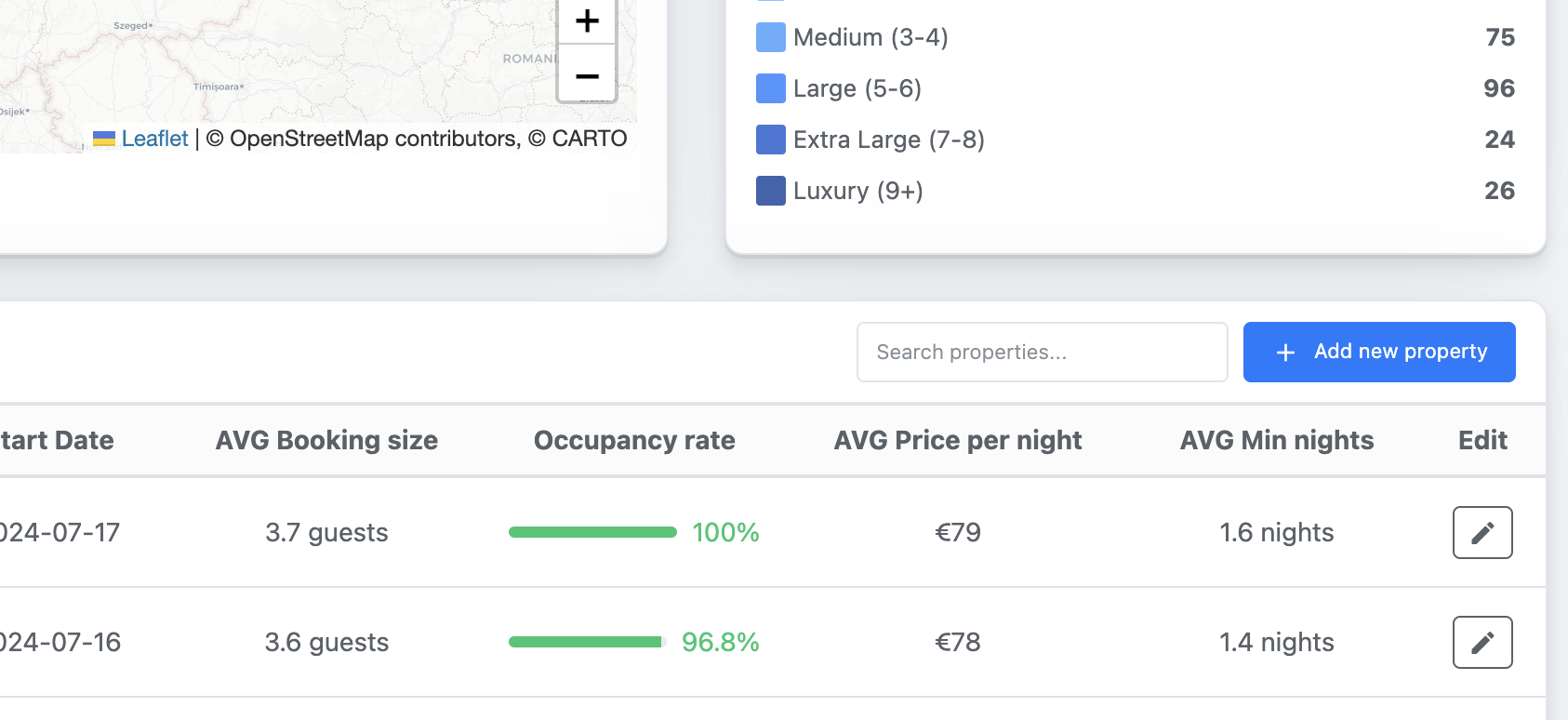
1. In the **left menu**, click on **Properties**
2. Click **Add new property**
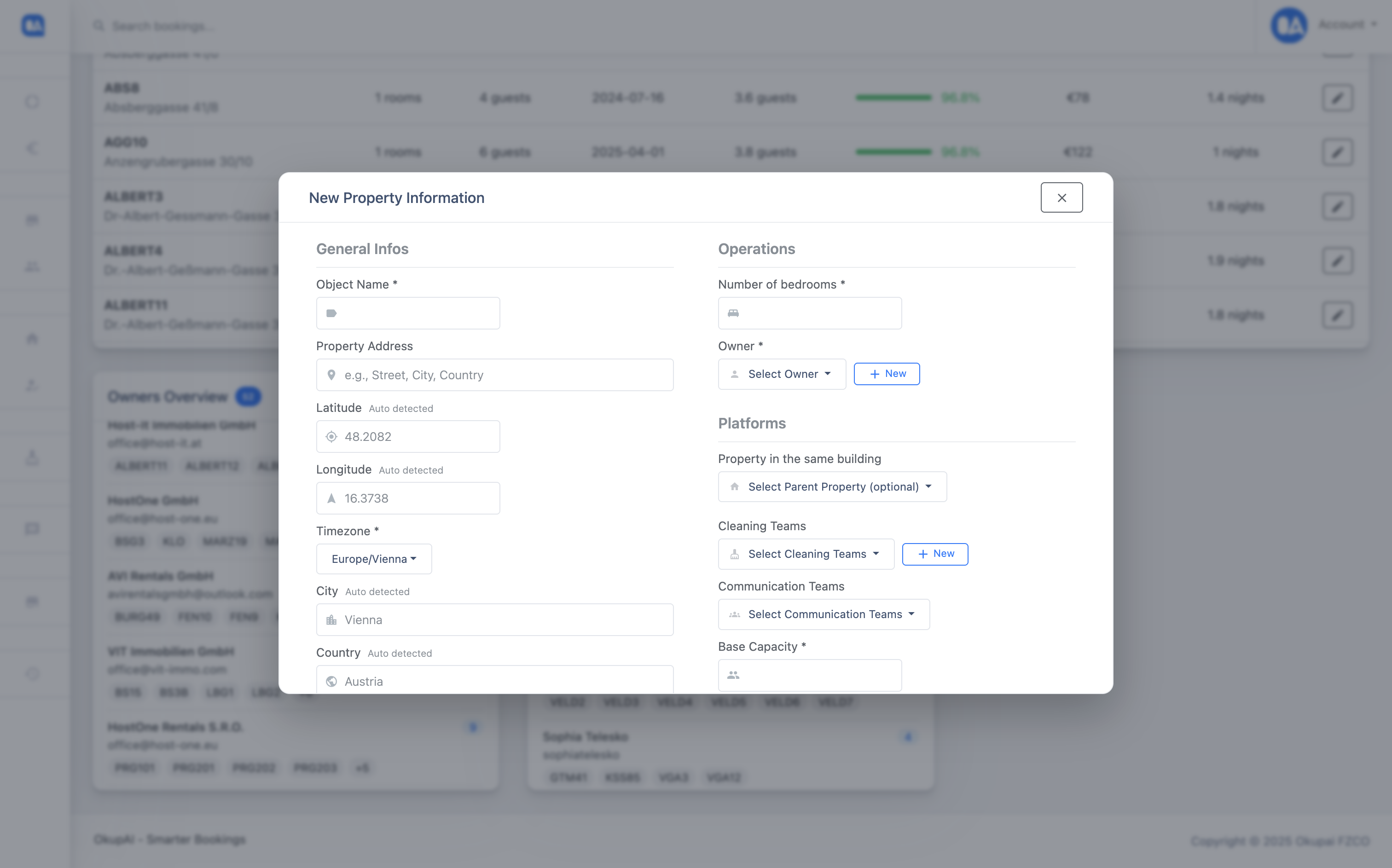
A popup titled **“New Property Information”** will appear.
***
### 🧾 Step 2: Fill in the property details
Below is an explanation of each field you’ll see.
***
#### 🔤 Object name
**Short internal identifier for the unit**
* Maximum **6 characters**
* Should be **easy to recognize**
* Used throughout OkupAI:
* calendar
* cleaning schedules
* reporting
* internal references
**Examples**
* `APT01`
* `ALB12`
* `STU3`
{% hint style="info" %}
Choose a name that stays clear even when you manage many units.
{% endhint %}
***
#### 📍 Property address
* Full address of the unit
* Used for:
* map positioning
* pricing tools (e.g. PriceLabs)
* reporting
Once entered, the following fields are **auto-detected**:
* latitude
* longitude
* city
* country
* timezone
No manual changes are usually needed.
***
#### 🏨 Unit details
**Number of bedrooms**
* Mainly used for **pricing tools** and analytics
* Does not limit booking capacity
**Base capacity**
* Number of guests included by default
* Used for **cleaning logic** and operational planning
**Max capacity**
* Absolute maximum number of guests
* Important for:
* cleaning workload
* occupancy logic
***
#### 👤 Owner
* Select the **owner of this unit**
* The owner:
* appears on **automatically generated invoices**
* is used in reporting and dashboards
If the owner does not exist yet, you can create a new one directly.
***
#### 🏢 Property in the same building (optional)
Use this if the unit is located in a building that already exists in OkupAI.
* Select a **parent property** if applicable
* Leave **“No parent property”** if this is a standalone unit
This helps with:
* grouped views
* building-level logic
* cleaner routing
***
#### 🧹 Cleaning teams
* Assign **one or more cleaning teams** to this unit
* These teams will be:
* automatically scheduled
* linked to bookings
* used in cleaning plans
You can add new cleaning teams if needed.
***
#### 🏛 City tax
If a city tax applies to this unit, configure it here.
You can choose:
* **Percentage of booking price**
* **Fixed amount per person / per night / per stay**
If no city tax applies, leave all values at `0`.
***
### ✅ Step 3: Create the property
Once all required fields are filled:
* Click **Create new property**
* Wait a few seconds while the unit is created
***
### 📅 What happens after creation?
Your property is now visible in the **Calendar**.
To **prevent accidental bookings**, OkupAI applies safe defaults:
* 💰 **Default price:** `€10,000`
* 🌙 **Minimum stay:** `30 nights`
{% hint style="info" %}
These values are intentionally extreme to avoid overbookings before channels are connected.
{% endhint %}
At this point:
* ❌ No platforms are connected
* ❌ No bookings can arrive yet
* ✅ The unit exists safely inside OkupAI
* ✅ No risk of overbooking at this point
***
### ➡️ Next steps
After creating your first property, you can:
* connect booking platforms
* adjust prices and minimum nights
* configure messaging and automation